
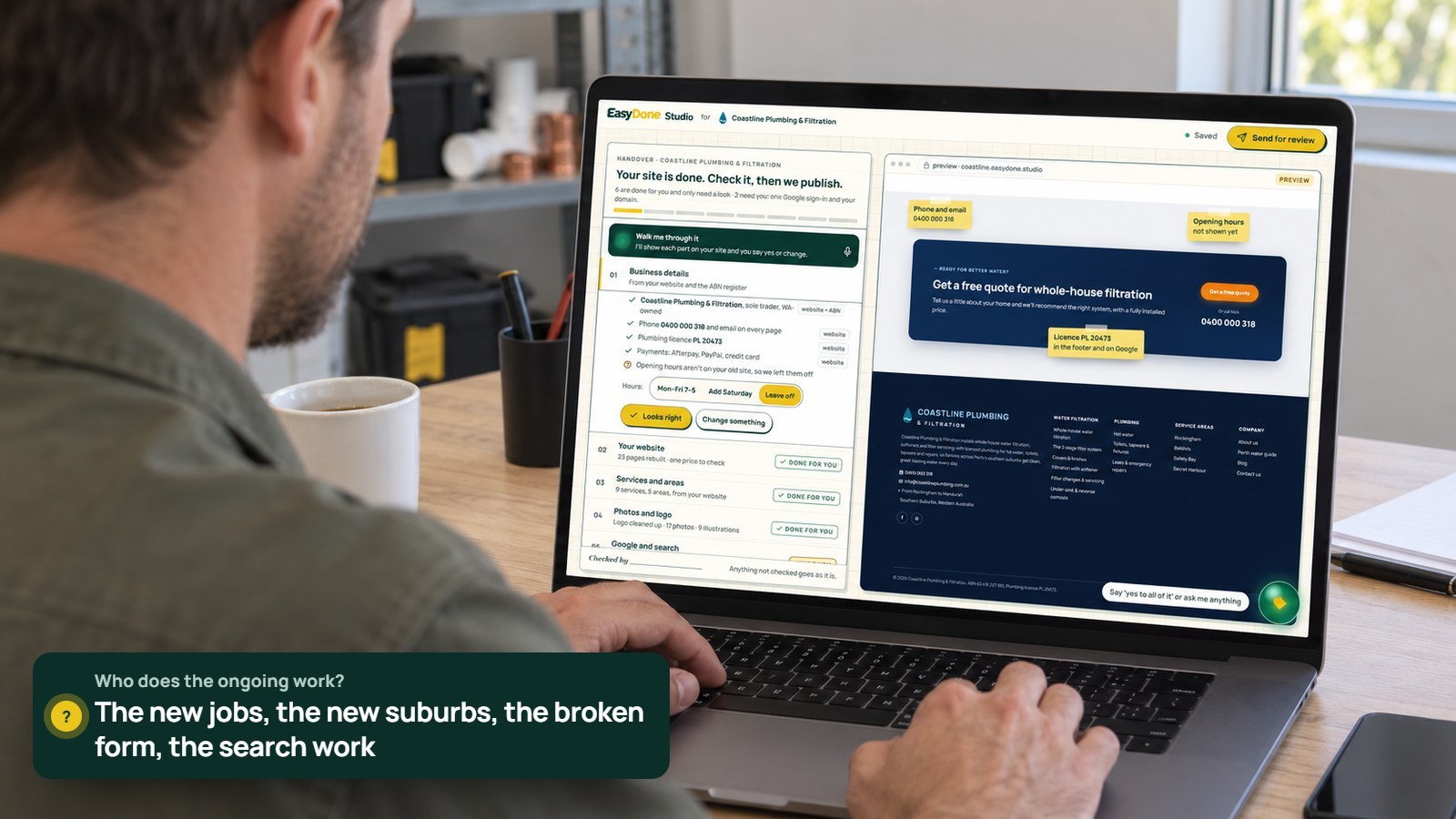
Written by the EasyDone team. Last checked 10 October 2026.
It's a Sunday arvo in Australind, and Nat Fairweather is looking at her own website for the first time in about a year. She built it with an AI builder in an afternoon, two winters ago, with a cuppa and the footy on. It looked great. It still sort of does.
But the gallery stops at a bathroom she finished before Easter last year. The services page says "Bunbury and surrounds" when half her work is now in Busselton and Dunsborough. The "Get a quote" button goes to an email address her old apprentice set up. And there's nothing at all about the walk-in shower conversions that have become her bread and butter.
Fairweather Tiling & Bathrooms is booked out six weeks ahead. That's the problem. Nat doesn't have a spare Sunday to be her own web team, and the agency her mate used quoted a fortnight for "small changes".
Here's the thing nobody tells you when you buy a website: the build is the easy bit. It's the next two years that count.
What are you actually buying?
You're buying a website that stays right. The first build matters, but so does every change after it: the new service, the bigger service area, the job photos that should be case studies, the seasonal push before Christmas.
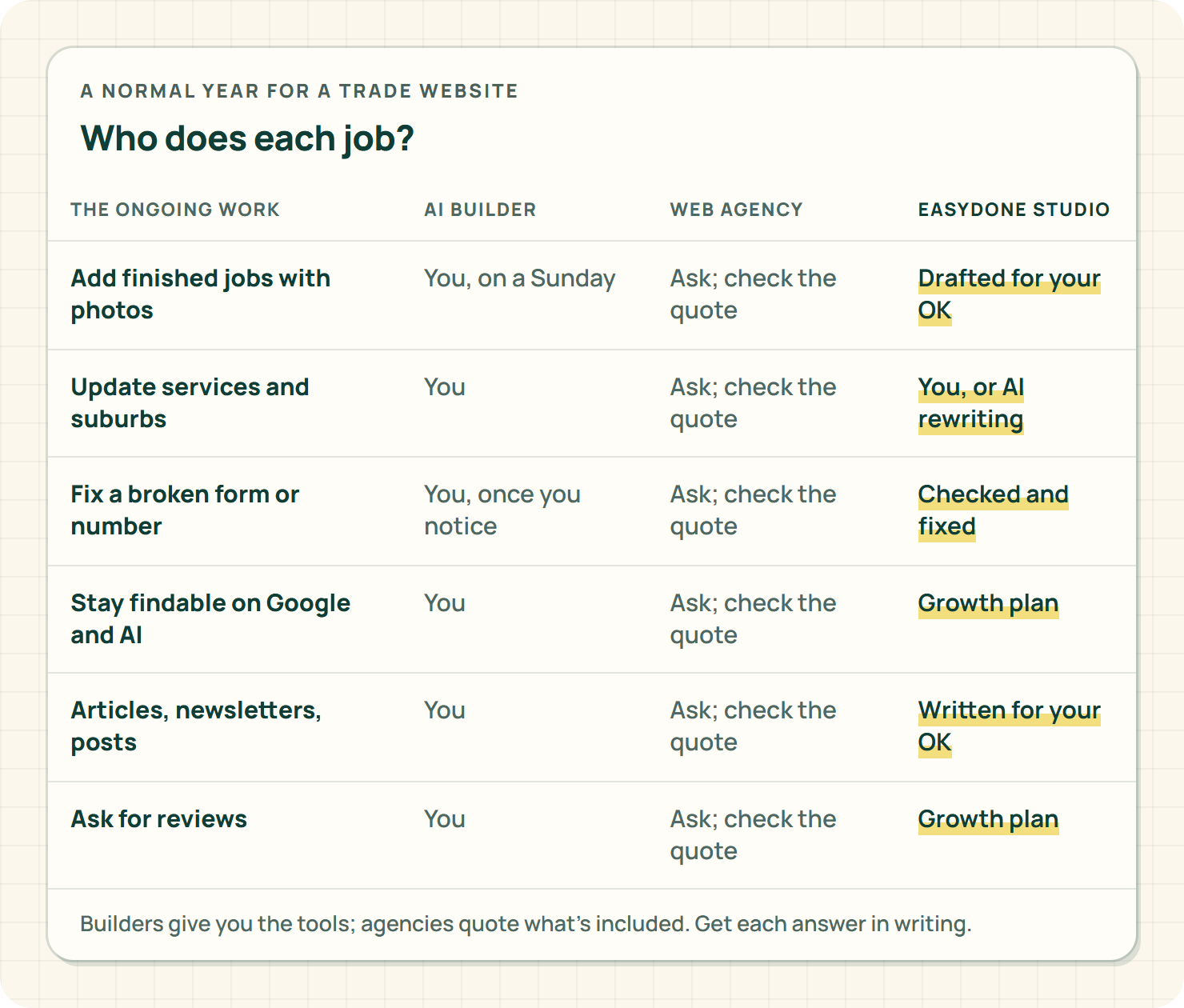
Before you compare anyone, write down the ongoing work. For a trade business, a normal year looks something like this:
- Add finished jobs with photos, at least once a month.
- Update services and suburbs whenever the business changes.
- Fix anything broken: a form, a phone number, a dead page.
- Keep the site findable on Google and in AI search.
- Write the odd article, newsletter or social post.
- Ask happy customers for reviews.
Now ask every option the same question: who does each of those? That's the whole comparison.
Option one: an AI website builder
This is what Nat did, and it's a fair way to start. Wix says you can create your site from a single prompt, on every plan. (Wix: AI website builder, read 10 October 2026; Wix: Plans, read 10 October 2026) Squarespace has its own AI site builder, Blueprint AI, and AI writing tools built in. (Squarespace: AI website builder, read 10 October 2026)
The prices look friendly too. On Squarespace's Australian pricing, Basic is A$24 a month billed monthly or A$17 a month billed annually, and Core is A$39 or A$28. Its AI tools run on credits: ten one-off credits on Basic, 20 a month on Core. (Squarespace: Pricing, read 10 October 2026) Wix says its prices vary by location, and the monthly figures it shows are for yearly plans paid up front. (Wix: Plans)
Here's the rub with builders, and it's not a small one: the AI builds the site, then hands you the keys. Every job on that list above is yours. The gallery, the suburbs, the broken form, the search work. The builder gives you good tools. It doesn't give you any time.
If you love tinkering on a Sunday, fair enough. Nat doesn't. Most tradies don't.
Option two: a web agency
An agency gives you real people, and a good one gives you a properly designed site. Ask exactly what's in the quote, though. Writing, photos, design, the build, the checks and the updates are separate jobs, and not every proposal includes all of them. Ocean Website Design, for example, lists its website and advertising offers separately. (Ocean Website Design: Pricing, read 10 October 2026)
Then ask the question that matters most for a busy trade business: what happens when I want to change something on a Thursday? How do I ask? Who does it? Is it included, or is it a new invoice? How long does it take?
And read the exit terms before you sign, while everyone's still friendly. Some monthly website deals lock you in. Fern Digital's published offer, for example, has a six-month minimum, a notice period and buyout terms, and says the site files aren't automatically handed over if you cancel. (Fern Digital: Pricing and terms, read 10 October 2026)
Ask every supplier the same four questions, including us:
- Who controls the domain?
- Can I take my words, photos and pages with me?
- What happens to my enquiry history if I leave?
- What does it cost to leave?
Get the answers in writing.
Option three: EasyDone Studio
Yeah, we make EasyDone Studio, so we're biased. Here's why we reckon it earns a spot on Nat's kitchen bench.
Studio starts like a builder: it makes your website from your business details, then you can edit every page, word and photo yourself, show off jobs as case studies and write your own blog posts, on every plan, Free included.7 Hosting and publishing are part of it, and you connect your own domain, with the domain registration itself paid separately.7
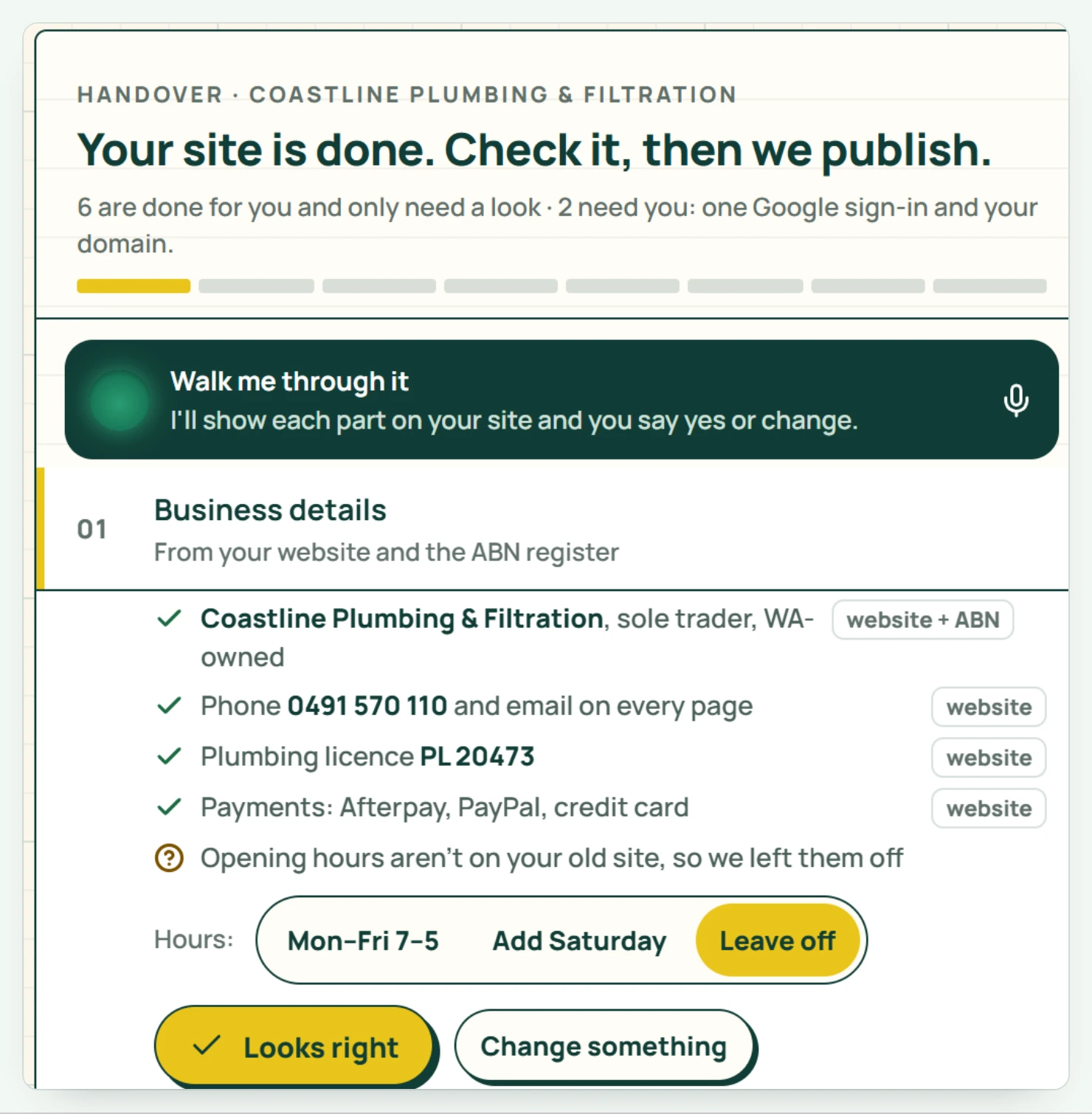
The difference is what happens next. Studio is built to do the ongoing work for you:
- Website Plus adds AI ideas for your site and content, AI writing for pages and case studies, AI rewriting of what's already there, and automatic blog posts.7
- Growth adds SEO, ongoing website checks and fixes, competitor research for search, Agent Optimisation so AI assistants understand what you do and where, AI-written newsletters and customer emails, automations and follow-ups, and Google review request workflows.7
- Complete adds Creative Studio for AI images, videos and reels, turning your job photos into video, Facebook, Instagram and LinkedIn posting and scheduling, and Facebook, Instagram and Google ad campaigns, with the ad spend itself separate.7
You decide whether each piece of work just runs, or waits for your OK first. Which plan has what is set out plan by plan on the pricing page.8
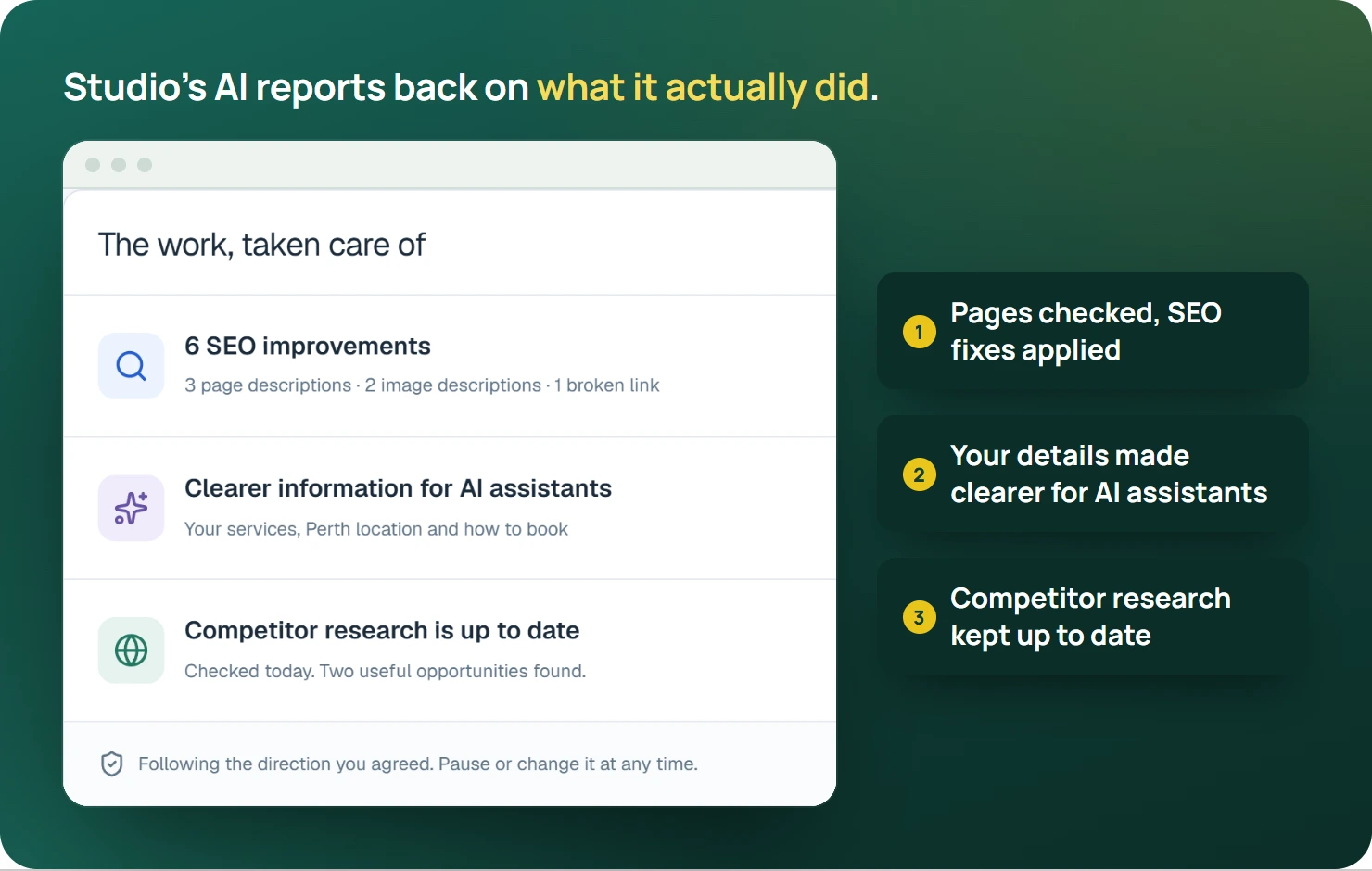
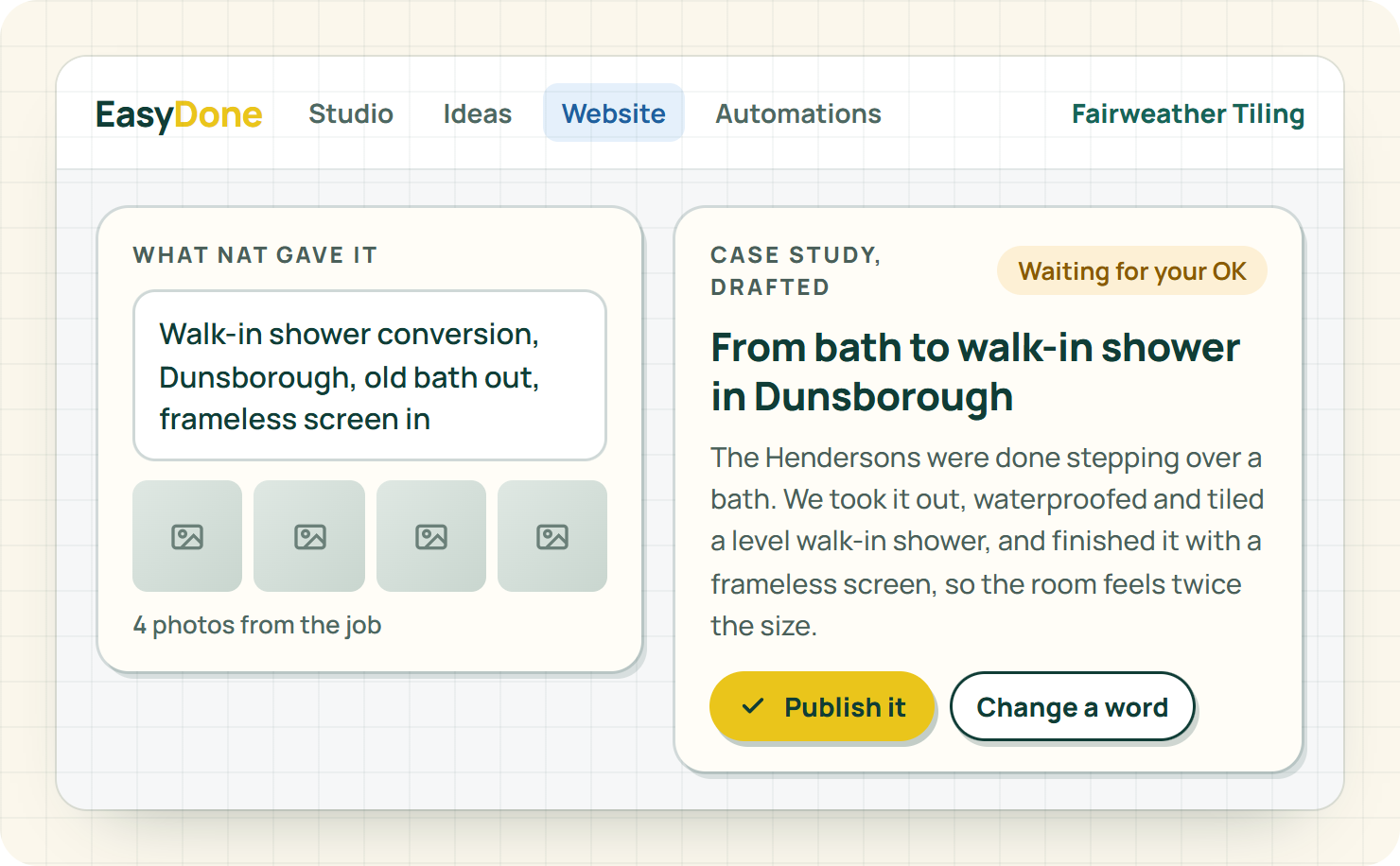
For Nat, that means "walk-in shower conversion, Dunsborough, old bath out, frameless screen in" plus four photos becomes a proper case study without her writing it. The services page learns about Busselton. And the ongoing website checks keep an eye on the whole site, so the next broken bit doesn't sit there for a year.
One honest limit: Studio makes your site clearer and keeps it in shape, but where you rank is still Google's call.
The three options, side by side
| The work | AI website builder | Web agency | EasyDone Studio |
|---|---|---|---|
| Building the site | AI from a prompt, then you edit. (Wix: AI website builder) | Designed by people, to a quote. | AI from your business details, then you edit.7 |
| Adding new jobs | You. | Them, if it's in the deal. | You, with AI writing on Website Plus.7 |
| Fresh content | You, with AI writing tools. (Squarespace: AI website builder) | Usually a separate job. | Automatic blog posts on Website Plus.7 |
| Search and website checks | You. | Often a separate service. (Ocean Website Design: Pricing) | Ongoing checks and SEO on Growth.7 |
| Reviews, emails and social | You, with whatever apps you add. | A separate quote. | Growth and Complete.7 |
| Leaving | Check the export. | Read the exit terms. (Fern Digital: Pricing and terms) | Ask us the same four questions. |
Verdict: a builder hands you tools, an agency hands you a quote for every change, and Studio hands you the work done.
Whoever writes it, check these five things
AI writes fast and sounds sure of itself, whichever option you pick. That's exactly why you read it before it goes live. Five checks, two minutes a page:
- Services. Only the work you actually do. If you stopped doing pool tiling, it goes.
- Suburbs. The places you want work from, not everywhere within two hours.
- Promises. "Same-day quotes" or "after-hours callouts" had better be true on a busy Friday.
- Licences and memberships. Exactly as they appear on your paperwork.
- Contact details. Ring the number. Send yourself a test enquiry.
A nice sentence that's wrong costs you more than no sentence at all.
If your site's already stale, fix it in this order
Nat didn't fix everything at once. Neither should you. Start with whatever is losing you work today:
- The contact path. Phone number, quote form, email. If enquiries can't reach you, nothing else matters.
- Services and suburbs. So the right people find you, and the wrong ones don't waste your time.
- Recent jobs. Three good case studies from this year beat thirty photos from 2023.
- Google. Make sure your profile and your site say the same things.
- Everything else. Articles, newsletters and social come after the basics are right.
How do you compare the cost without fooling yourself?
Price the first year and a normal second year, for the same list of work. Put these on one page for every option:
- The plan or retainer, at the renewal price, not the intro deal.
- The domain and business email.
- Every change you'd pay someone to make.
- Your own hours on the website, at what your time's worth on the tools.
That last line is the one people leave off. For Nat, a Sunday a month on the website is a Sunday she's not quoting, and it's the most expensive line on the page.
For Studio, the plans and inclusions are on the pricing page.
What should you bring to a Studio walk-through?
Bring one service you want more of, one finished job with photos, and the suburbs you actually want work from. Then bring a change: a new service area or a better photo. Watch how the change happens, and who does it.
Our website checklist helps judge the result, and the refresh or rebuild guide helps work out how much needs changing.
Back in Australind
A couple of months on, it's Sunday arvo again, and Nat's down at the estuary with the kids. The site's got her last eight bathrooms on it as case studies. The services page says Busselton and Dunsborough. The quote form goes to an inbox she actually reads. And there's a blog post about walk-in shower conversions she didn't write, and checked over in five minutes on Thursday night.
She hasn't logged in on a Sunday since.
Your turn. Count up the Sundays your website has cost you. Then see what EasyDone Studio builds for your business, with your services, your suburbs and your jobs, and the ongoing work done for you.
Sources
- Wix: Wix: AI website builder accessed Saturday 10 October 2026
- Wix: Wix: Plans accessed Saturday 10 October 2026
- Squarespace: Squarespace: AI website builder accessed Saturday 10 October 2026
- Squarespace: Squarespace: Pricing accessed Saturday 10 October 2026
- Ocean Website Design: Ocean Website Design: Pricing accessed Saturday 10 October 2026
- Fern Digital: Fern Digital: Pricing and terms accessed Saturday 10 October 2026
- Product documentation: EasyDone Studio inclusions accessed Saturday 10 October 2026
- Plan inclusions verified against the nominated local website CONTENT.md: EasyDone Studio: Plan inclusions accessed Saturday 10 October 2026
Researched and written with AI for EasyDone Studio. Every figure links to the source it came from.