
Written by the EasyDone team. Last checked 10 October 2026.
2.5 seconds. That's how long Google says the biggest thing on your page should take to show up, for most of your visitors, before the page counts as good.1
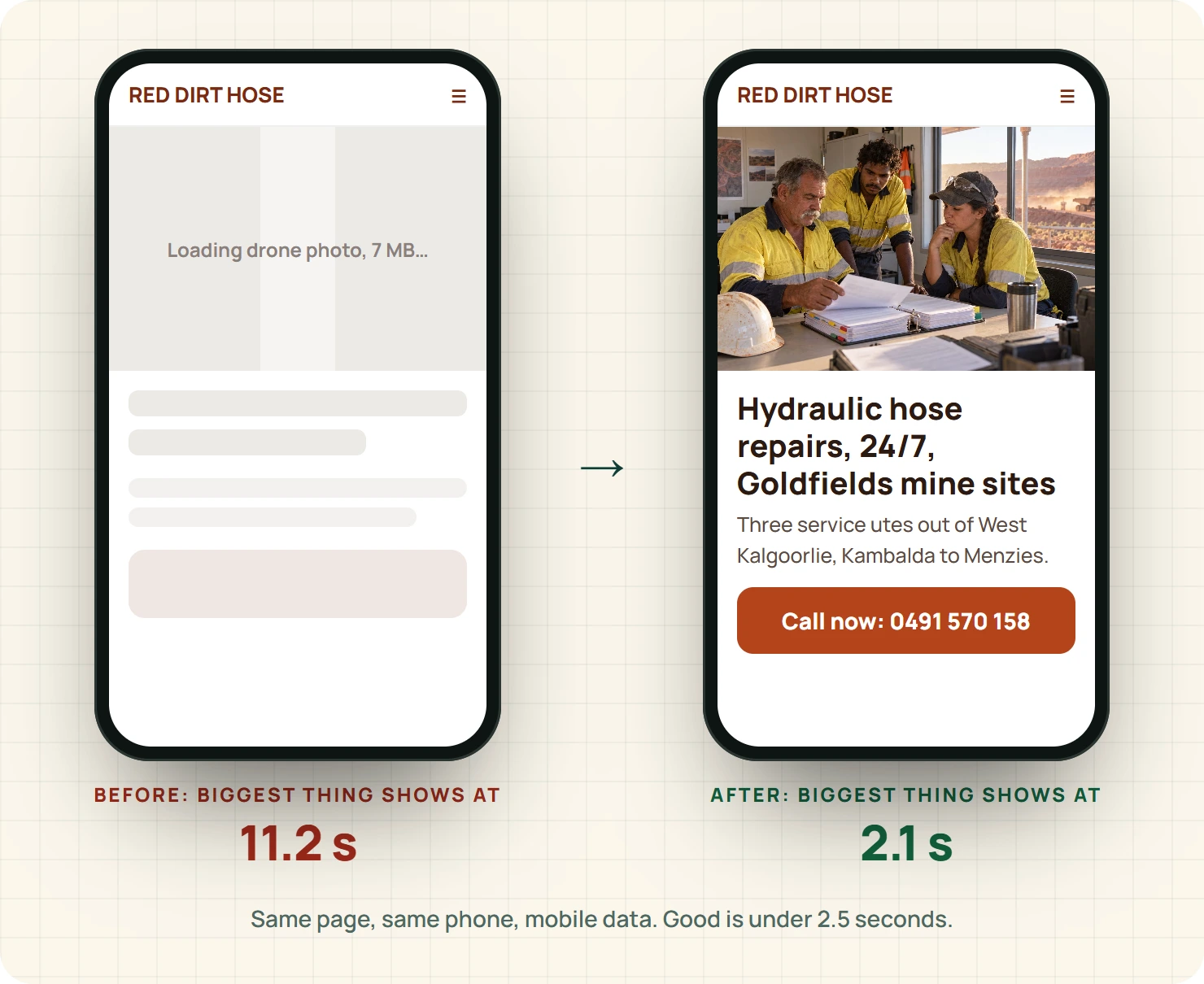
Ingrid Saarinen's took eleven.
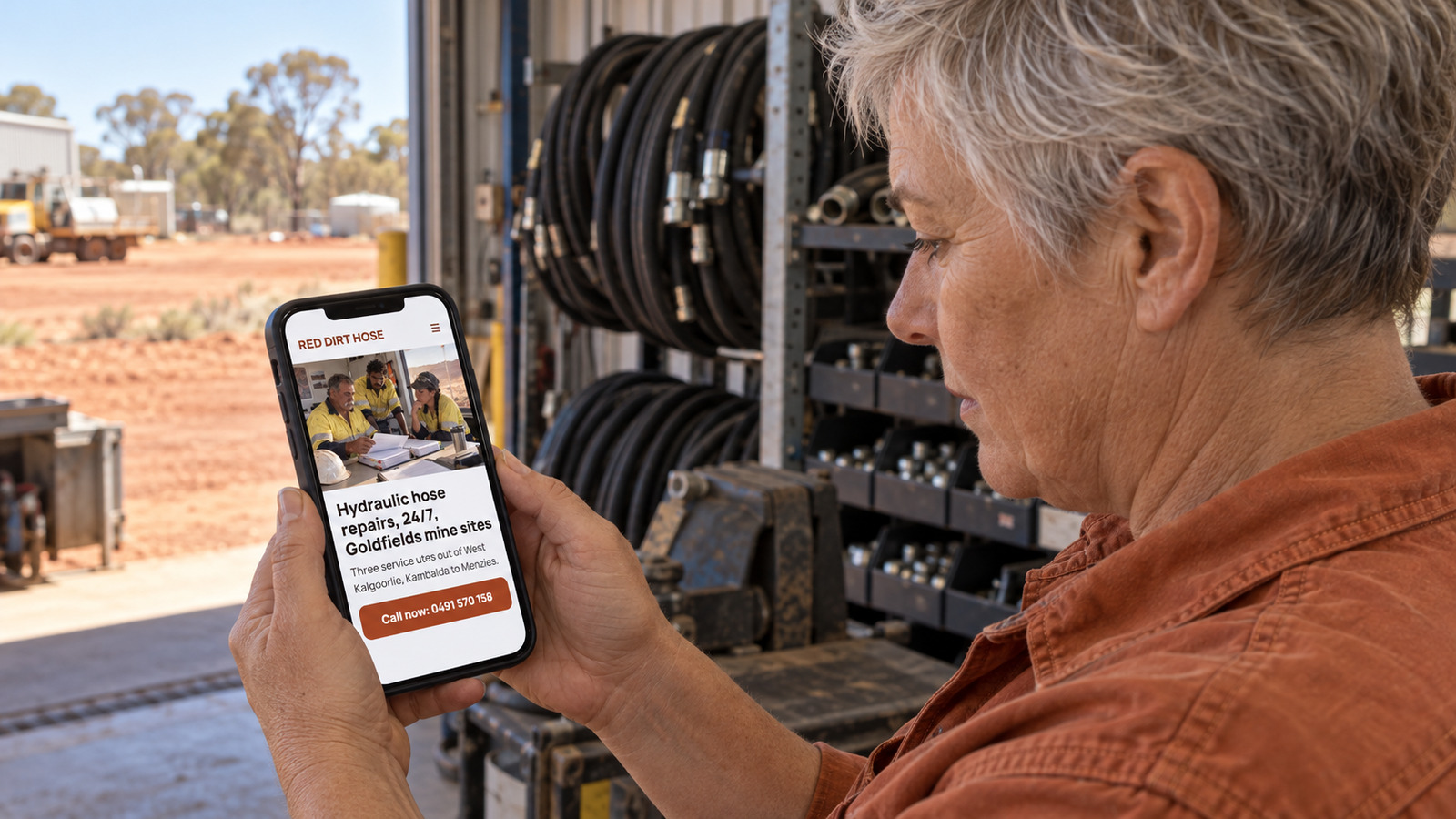
Ingrid runs Red Dirt Hose & Hydraulics in Kalgoorlie: three service utes, a workshop in West Kalgoorlie, and customers who are mostly maintenance planners at mine sites out past Kambalda and up towards Menzies. When a loader blows a hose at 2 am, someone in a crib room with one bar of signal pulls out their phone and looks for a hydraulics crew. If your website is still loading a drone video of your workshop when their patience runs out, they ring the next one.
A fast website isn't a nice-to-have when your customer is on a mine site. It's the difference between the callout and the silence. Here are the numbers that matter, what was dragging Ingrid's site down, and the fixes in order of payoff.
The three numbers that matter
Google measures a page's experience with three Core Web Vitals, and publishes the thresholds for "good".1 Ignore everything else in a speed report until these are sorted.
| Number | What it measures, in plain words | Good is |
|---|---|---|
| Largest Contentful Paint (LCP) | How long until the main thing on the page shows up | 2.5 seconds or less1 |
| Interaction to Next Paint (INP) | How quickly the page responds when you tap something | 200 milliseconds or less1 |
| Cumulative Layout Shift (CLS) | How much the page jumps around while it loads | 0.1 or less1 |
Google judges these at the 75th percentile of real visits,1 which is a fancy way of saying your slow visitors count, not just the ones on fibre in an office. For a Goldfields business, the slow visitors are the customers.
Free tools like Google's PageSpeed Insights show all three for any page. Run it on your home page, your most important service page and your contact page. Those three pages are where the money is.
What was slowing Ingrid's site down?
Her web bloke built it four years ago and it looked great on his big screen in Perth. Here's what the report found, ranked by how much each one cost:
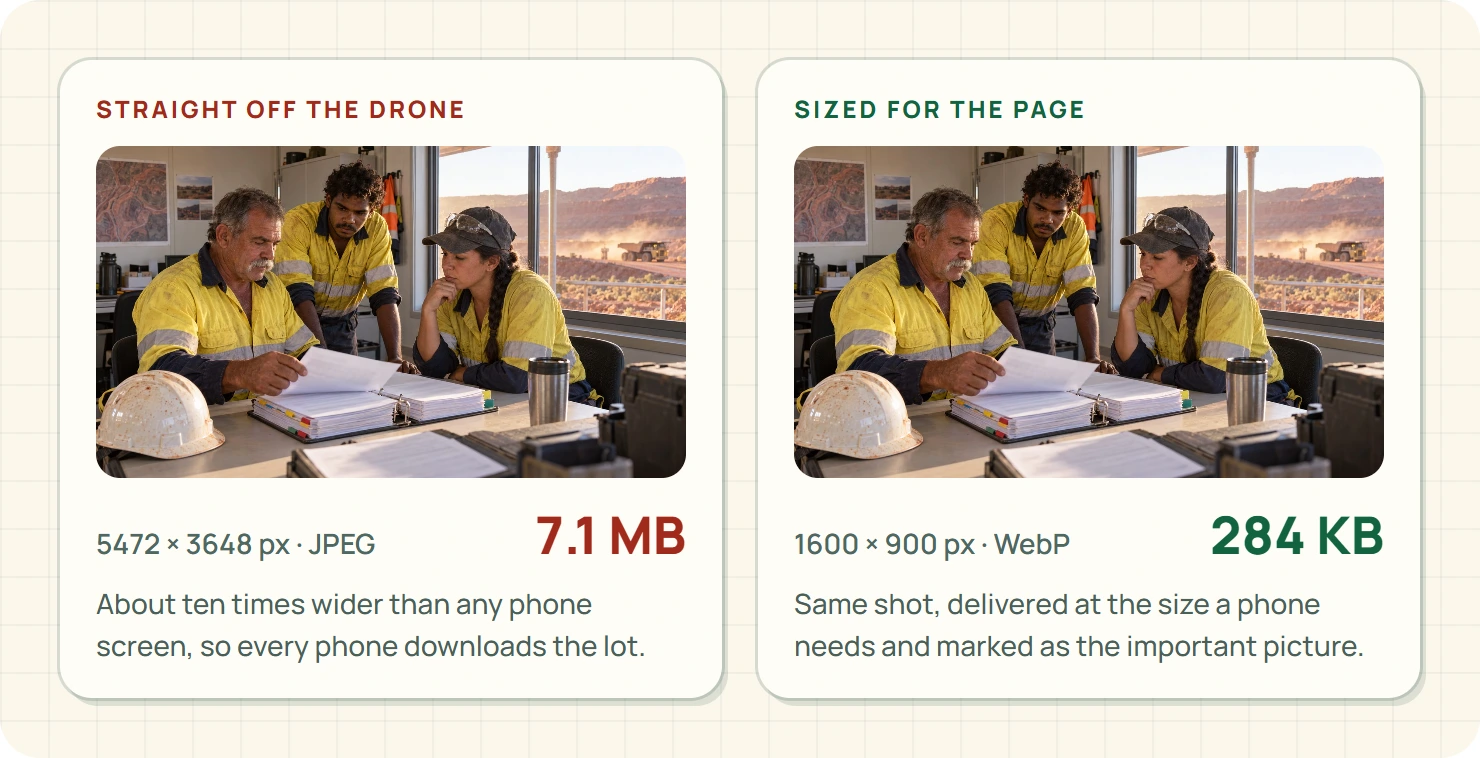
- A seven-megabyte drone photo of the workshop at the top of the home page, straight off the drone, roughly ten times wider than any phone screen.
- An autoplay video background behind the heading, which every phone had to start downloading before it showed the words.
- A gallery of forty photos on the services page, all loading at once, including the thirty-odd you'd never scroll to.
- A chat widget, a reviews carousel and an embedded map, each loading its own pile of code from somewhere else.
- Three different fonts, two of them used for one heading each.
- A cookie banner that appeared late and shoved the whole page down just as people went to tap the phone number.
None of it was content anyone needed. That's the good news. A fast site almost never means a thinner site. It means a site that's stopped carrying junk.
The fixes, in order of payoff
1. Resize the big picture, don't delete it
Google's guidance on LCP says to find what's actually holding up the main content first.2 For most trade sites, it's one enormous photo at the top.
The fix isn't to lose the photo. A real shot of your ute on a mine site tells people they've found the right mob. The fix is to deliver it at the size a phone actually needs, in a modern format, and to make sure the browser knows it's the important one. Google's image guidance covers sizing, formats and the text around images.3 Ingrid's drone shot went from seven megabytes to under three hundred kilobytes, and you can't tell the difference on a phone.
2. Load the lower photos only when someone scrolls to them
Photos further down the page can wait until the visitor gets near them. That's how the forty-photo gallery stopped choking the services page.
One warning: don't apply this to the top photo. Lazy-loading the main picture makes LCP worse, not better, which is a mistake plenty of speed plugins make for you.
3. Swap the autoplay video for a still
A video background is a big download that answers no questions. Ingrid kept the footage, moved it lower on the page behind a play button, and put a sharp still of a hose repair at the top. People who want the video can watch it. Nobody has to wait for it.
4. Stop the page jumping
CLS is the one people feel without knowing its name: you go to tap "Call us" and the page drops, and you've tapped a photo instead. The fix is to reserve space for anything that loads late, like images, banners and embeds, so the page doesn't rearrange the furniture after you've walked in. The late cookie banner was the main culprit on Ingrid's site.
5. Make the extras wait for a tap
Every widget from another company costs load time. The map became a "Show the map" button. The reviews carousel became three written reviews in plain text, which load instantly and read better anyway. The chat widget went, because nobody in a crib room wants to chat. They want the phone number.
6. One font, maybe two
Each font is another download. Pick one for headings and one for body text, or just one. Nobody has ever chosen a hydraulics crew because of their typeface.
Don't make the phone version thinner
It's tempting to "speed up" mobile by hiding content on small screens. Don't. Google mostly uses the mobile version of your page for indexing,4 so whatever you hide on the phone, you've effectively hidden from Google too.
Keep everything that helps a customer decide: what you fix, where you go, how fast you can get there, and the phone number. Google's guidance on helpful content puts the reader's needs first,5 and a planner at 2 am needs those four things more than they need a pretty animation.
And when you resize pictures, keep the descriptions. W3C's images tutorial explains that alt text should describe what the image is for.6 "Hydraulic hose replacement on a haul truck, Kambalda" helps screen readers and search engines alike. "IMG_4471" helps nobody.
Ingrid's before and after
| Page | LCP before | LCP after | Jumping around |
|---|---|---|---|
| Home | 11.2 seconds | 2.1 seconds | Fixed |
| Hose repair service | 8.4 seconds | 1.9 seconds | Fixed |
| Contact | 4.7 seconds | 1.4 seconds | Was fine |
Measured on the same phone, on mobile data, from the car park of the Boulder supermarket. Not a lab, but a lot closer to her customers' reality than her web bloke's office.
How much speed is enough?
Get the three numbers into the good range on your important pages, then stop. Chasing a perfect 100 score in a speed tool is a weekend you'll never get back, and no customer has ever noticed the difference between 94 and 100.
The real test is a task, not a score. Open your site on your phone, on mobile data, and time how long it takes to find your phone number and tap it. If that's quick and nothing jumps, you're done. Go and do some actual work.
Where EasyDone Studio comes in
Yeah, we make EasyDone Studio, so we're biased. Here's why we reckon it helps with this.
Hosting and publishing are part of every Studio plan, Free included, and you can edit every page, word and photo yourself.7 So when you swap a photo or cut a widget, it's your change to make, not a quote from someone else.
Growth adds ongoing website checks and SEO improvements.7 That's the bit that matters long term, because sites don't usually get slow in one go. They get slow one oversized photo and one new widget at a time, and the checks keep an eye on it so it doesn't drift back to eleven seconds.
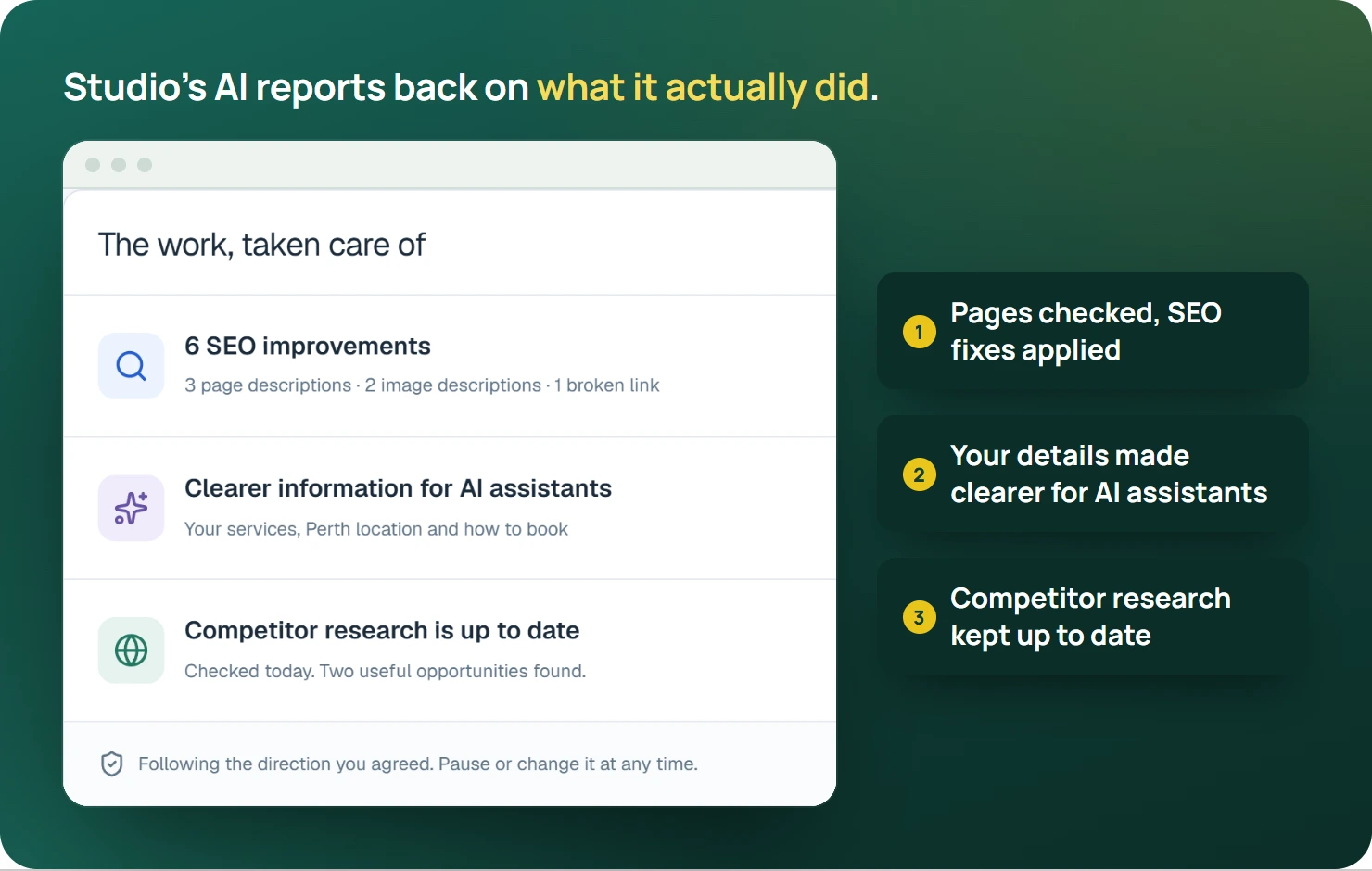
Website Plus adds AI rewriting, which helps when a page is slow because it's long and waffly rather than heavy: tighter words, same answers.7
One honest limit: Studio can keep your site light, but it can't put another bar of signal in a crib room. That's exactly why the page has to be light in the first place.
What's in each plan is on the pricing page.
So how did Ingrid go?
A fortnight after the fixes, a maintenance planner at a site up past Menzies rang at quarter past five in the morning. A hose had let go on a water cart. He'd found Red Dirt on his phone in the crib room, tapped the number, and was talking to Ingrid's on-call fitter before his toast was done.
He didn't mention the website. That's how you know it worked.
Your turn
Open your home page on your phone, turn off wi-fi, and count. If you get past three before you can see what you do and tap your number, start with fix number one this week. Our phone website check walks through the rest of the journey once it's quick.
And if you'd rather your website stayed fast without you babysitting it, see what EasyDone Studio builds for your business.
Sources
- web.dev: Google web.dev: Web Vitals accessed Saturday 10 October 2026
- web.dev: Google web.dev: Improve main content loading accessed Saturday 10 October 2026
- developers.google.com: Google: Image search guidance accessed Saturday 10 October 2026
- developers.google.com: Google: Mobile-first indexing accessed Saturday 10 October 2026
- developers.google.com: Google: Helpful, reliable content accessed Saturday 10 October 2026
- w3.org: W3C: Images tutorial accessed Saturday 10 October 2026
- Product documentation: EasyDone Studio: Plan inclusions accessed Saturday 10 October 2026
Researched and written with AI for EasyDone Studio. Every figure links to the source it came from.